
Partner Tools
QuickQuote API
Show customers an initial moving price directly in your website, app, or customer journey. Use this guide to understand moving estimates and help customers take the next step.
Learn more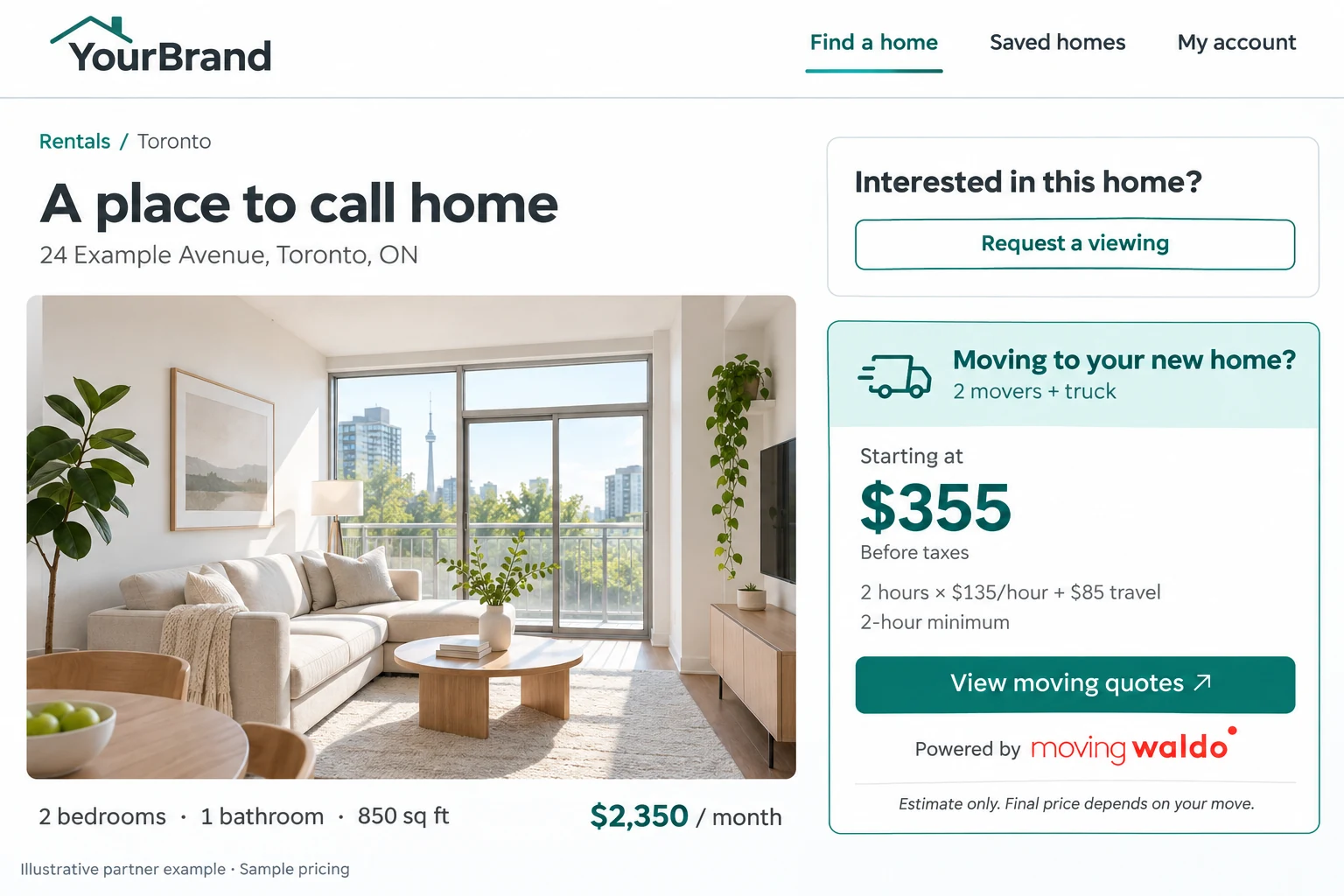
MovingWaldo’s QuickQuote API returns the best Starting At price using default crew and labour time, or the best Estimated Subtotal for the inputs you provide. These prices account for both labour and the associated travel charges. Customers can then continue to your partner booking platform to provide more details, compare moving quotes, and book their movers with support from our team.
For the API reference and instructions for passing booking URL parameters, visit MovingWaldo’s developer documentation.
How QuickQuote works
-
Send the information you have
Provide at least one address. In most cases, use the default crew and minimum time to request a Starting At price.
-
Display the price and its basis
Show the Starting At price or Estimated Subtotal, with the crew size, labour time, minimum hours, and travel charges used.
-
Invite the customer to continue
A “Get moving quotes” button takes them to your partner booking platform to add details and compare more detailed quotes.
A QuickQuote is an initial pricing estimate. It does not confirm a booking or reserve a moving crew.
For supported inputs, defaults, and response fields, refer to the API documentation.
How moving prices are calculated
Every move quoted through QuickQuote is billed by the hour:
Price = hourly rate × billable hours + travel charges
Minimum billable time applies and is returned by the API. If the estimated duration is below the mover’s minimum, the minimum is used. A Starting At price uses 2 movers and this minimum time; an Estimated Subtotal uses the crew size and labour time you provide, subject to that minimum.
For example, using illustrative amounts:
| Component | Calculation | Amount |
|---|---|---|
| Labour | $150/hour × 4 hours | $600 |
| Travel charges | Associated travel amount | $150 |
| Estimated subtotal | Labour + travel | $750 |
The hourly rate covers the selected crew. If the rate is for 3 movers, do not multiply it by 3 again.
Actual moving time can differ from the initial estimate. Customers receive more detailed quotes after providing additional information in the booking platform.
Rates and minimum billable hours can vary by moving date. QuickQuote uses the date supplied, or a date 15 days ahead when none is provided. Changing the date may change the hourly rate, minimum hours, and resulting price.
Display the date used for the price, and refresh the QuickQuote when the date or other pricing inputs change.
Choosing movers and estimating hours
In most cases, partners should default to Starting At prices, which use 2 movers and the minimum billable time. Customers then continue to MovingWaldo to provide more information about their move. Our system uses those details to estimate the appropriate crew size and time.
When you have enough information to know that a customer needs 3 movers or more hours, you can provide those inputs to receive a more tailored Estimated Subtotal. For example, your interface might let customers enter their move size, choose 3 movers, or select additional hours themselves.
The table below gives rough crew and time estimates based on home size. Use it with caution, and only provide more specific inputs when the information available supports them.
Provisional sizing guide. These examples are rough planning estimates, not guaranteed durations. Confirm crew and time assumptions with MovingWaldo before using these defaults in your integration.
| Home size | Suggested movers | Estimated hours |
|---|---|---|
| Studio apartment | 2 | 3 |
| 1-bedroom apartment | 2 | 4 |
| 2-bedroom apartment | 2 | 6 |
| 3-bedroom apartment | 3 | 6 |
| 3-bedroom house | 3 | 8 |
| 4-bedroom house or larger | 3 | 10 |
These are elapsed hours for the whole crew, not hours per mover. They are rough estimates for a typical full-home move.
Stairs, elevators, walking distance, the amount of furniture, packing needs, and the route can affect the time required. A larger crew may help with a larger move, but adding a third mover does not guarantee a specific time saving.
Presenting prices clearly
Use Starting At price when requesting the default 2 movers and minimum time. Use Estimated Subtotal when providing crew size and labour time to tailor the price.
In both cases, explain the price’s basis close to the amount. The minimum billable hours are returned by the API: display that value alongside the crew size, labour time, travel charges, and date used.
The examples below use $X as a price placeholder and an illustrative 3-hour minimum. Replace them with the actual price and minimum hours returned by the API.
Starting At price
Moving services starting at $X
Includes 2 movers for the 3-hour minimum and the associated travel charges, based on [date].
The final cost depends on the number of movers, hours worked, and confirmed move details.
Get moving quotes
Estimated Subtotal
Estimated moving subtotal: $X
Based on 3 movers for 6 hours on [date], including estimated travel charges. A 3-hour minimum applies.
Actual charges depend on the time required and confirmed move details.
Get moving quotes
When using “Starting At,” always explain that the price depends on the number of movers and hours required. Avoid presenting a minimum charge as the total cost of a full-home move.
If no price is returned, you can still show a “Get moving quotes” button so the customer can continue and provide more information.
What you can build
QuickQuote can fit into several moments in your customer journey. These illustrative mockups use sample pricing, not live offers. Use the actual price, minimum hours, and other details returned by the API in your integration.
Select an image to view the example at full size.
Property or rental listing
Show a Starting At moving price alongside a listing, giving customers a next step when they are exploring a new home.
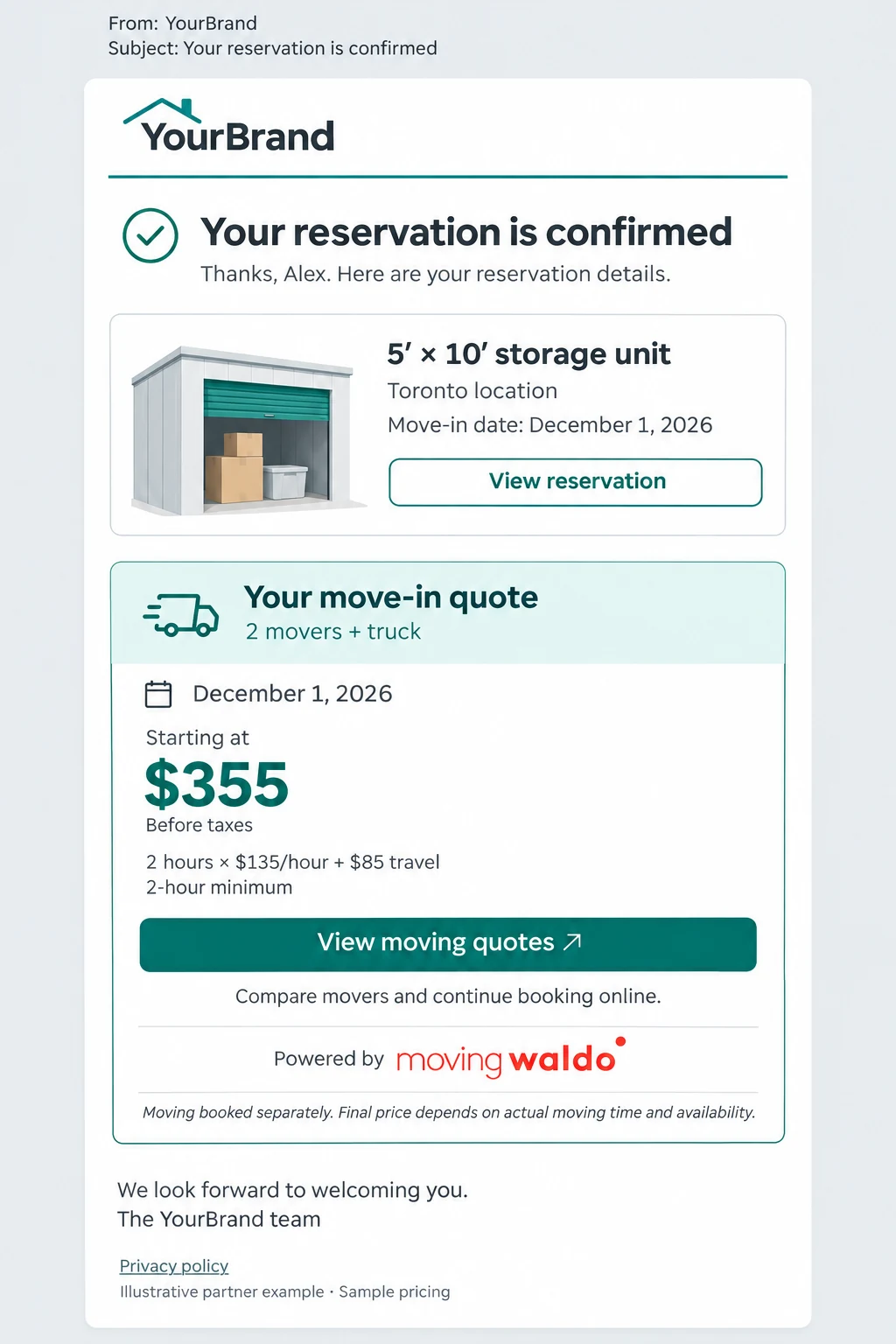
Reservation confirmation email
Include a moving offer in a confirmation email so customers can continue to moving quotes after completing a related reservation.
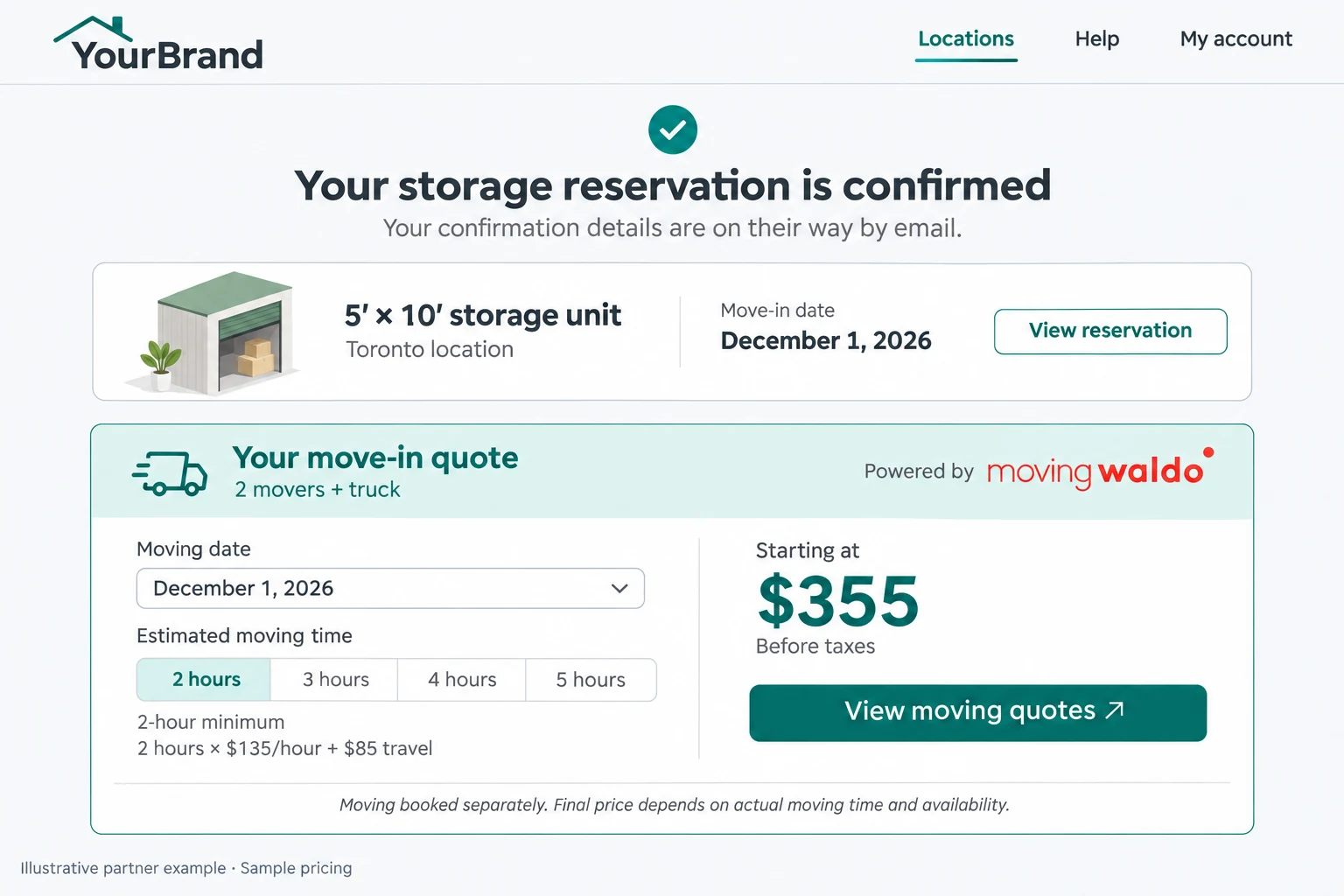
Checkout or reservation confirmation page
Offer moving help immediately after a customer completes a reservation. Let them adjust the date or estimated time when that information is available.
Customer portal
Add moving help to a customer portal, where customers can provide addresses, choose a date, and adjust the estimated moving time before continuing to MovingWaldo.
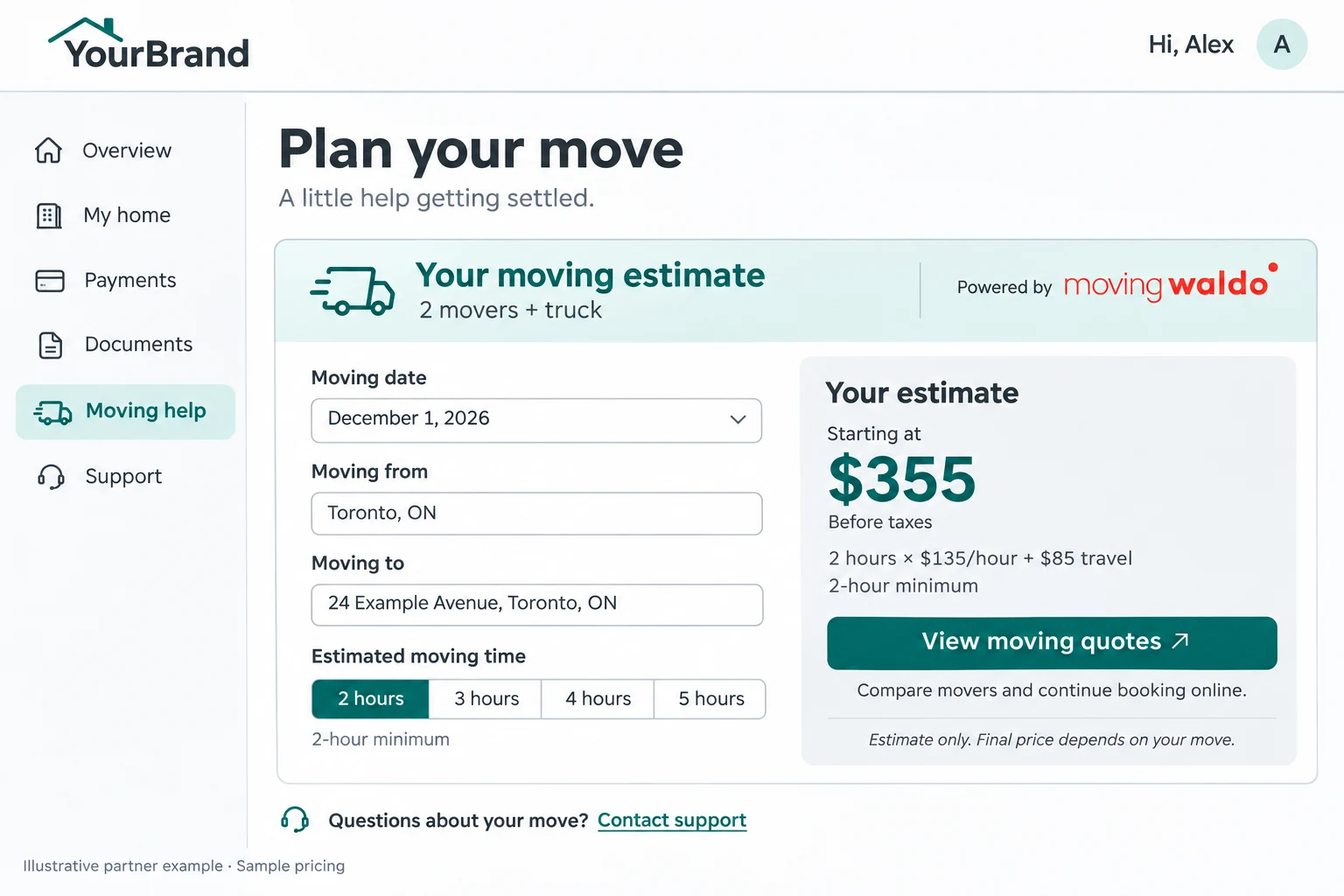
Each experience should show the assumptions behind the price and provide a clear next step. When customers provide a crew size and labour time, label the tailored price as an Estimated Subtotal.
Sending customers to detailed quotes
Use “Get moving quotes” as the next step after displaying a QuickQuote.
The button should open your assigned partner referral platform link, preserving your partner attribution.
Add as much relevant information as possible through the supported booking URL parameters, using information the customer has provided and agreed to share. Depending on the supported parameters, this may include:
- Origin and destination addresses.
- Moving date.
- Crew size and estimated hours.
- Customer name and contact information.
Preserve any referral information already included in your partner link. Use the exact parameter names and formats in the booking parameter documentation.
Customers then continue in the booking app to review the prefilled information, add missing details, and receive more detailed moving quotes. They can compare their options and book with help from MovingWaldo’s support team.
Integration reference and support
Visit MovingWaldo’s developer documentation for the API reference and instructions for passing booking URL parameters.
Contact MovingWaldo for help with your partner link or integration questions.